· Features · 1 min read
Custom QR Code Generator — Add Logo, Colors & Shapes
Create free custom QR codes with your logo, brand colors, and unique shapes. Generate dynamic QR codes with full scan tracking and analytics.
Create Custom QR Codes with Your Logo & Brand Colors
Design branded QR codes that match your business. Add your logo, pick your colors, choose from dozens of shapes, and track every scan with built-in analytics. Download in PNG, SVG, or PDF — free to get started.
Create Your Custom QR Code
Download Qrblox and start designing branded QR codes in minutes.
Step-by-Step
How to Create a Custom QR Code
Design professional, branded QR codes in three steps. No design skills needed.
Step 1: Choose Your QR Code Type
Select from URL, WiFi, vCard, PDF, email, phone, SMS, and more. Pick static for fixed content or dynamic for editable content with scan tracking.
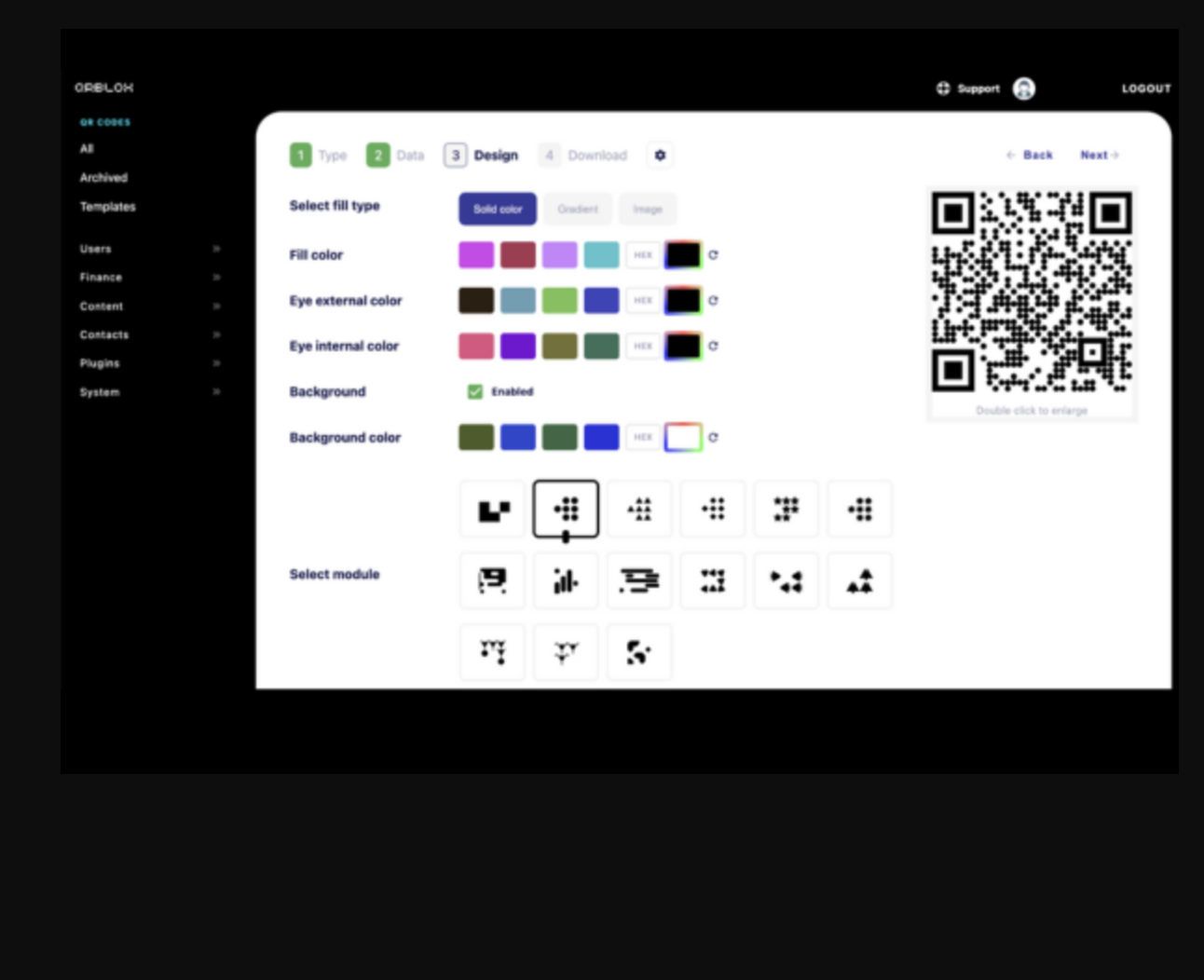
Step 2: Customize Your Design
Upload your logo, pick brand colors, choose body and marker shapes (circles, hearts, stars, diamonds), set background color or make it transparent, and add borders.
Step 3: Download & Deploy
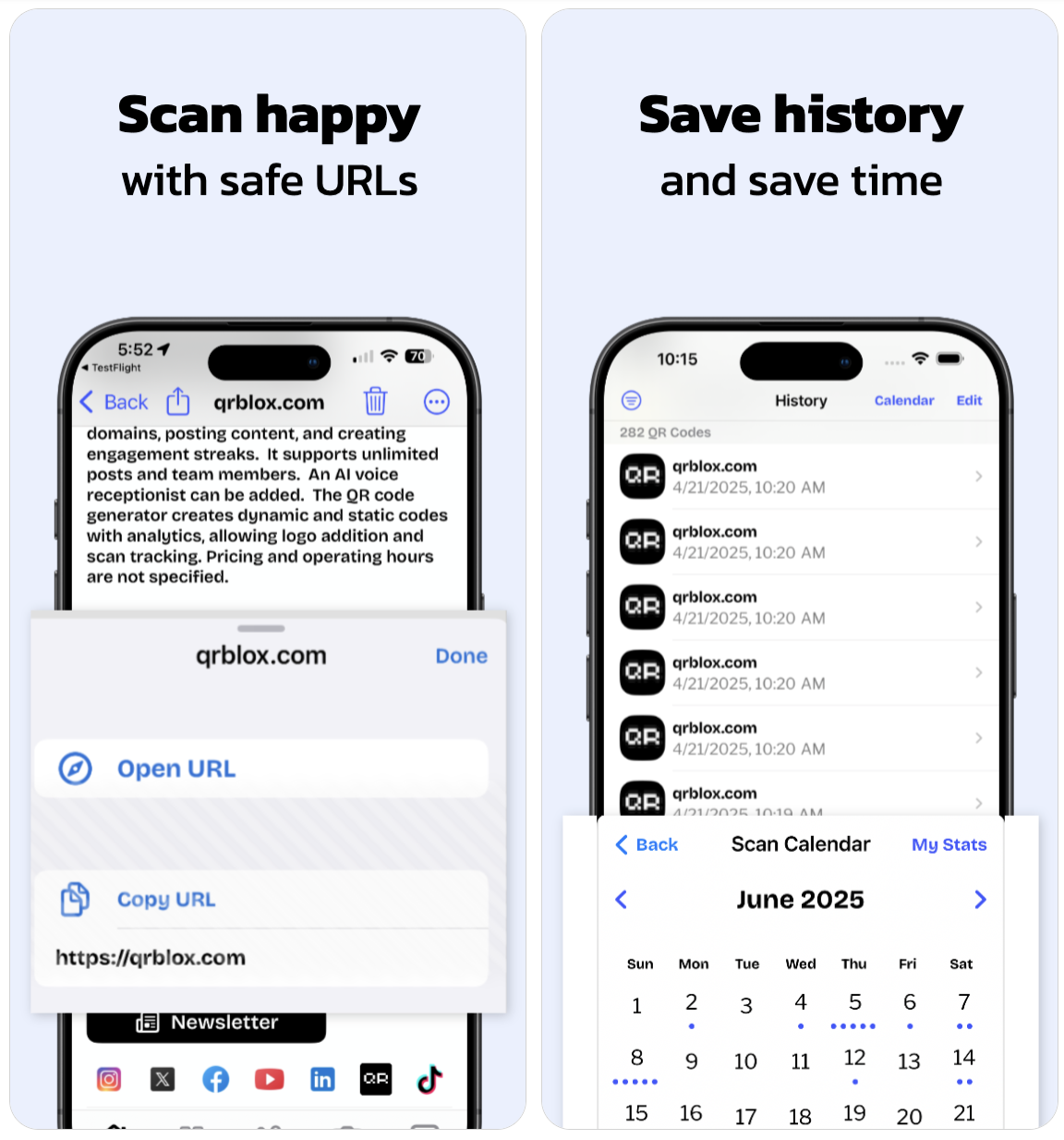
Download your QR code in PNG, SVG, or PDF format. Print it on business cards, menus, signage, packaging, or share it digitally. Track scans from your dashboard.
Why Custom QR Codes
Branded QR Codes Get 30% More Scans
Why Businesses Choose Custom QR Codes
Generic QR codes get ignored. Branded QR codes get scanned.Stand Out from Generic Codes
Black-and-white QR codes blend into the background. Custom QR codes with your logo and brand colors catch attention and communicate professionalism.
Build Trust with Customers
When customers see your logo in a QR code, they know it is legitimate. Branded codes reduce hesitation and increase scan rates.
Track Every Scan
Dynamic QR codes come with built-in analytics. See who scanned, where, when, and on what device. Measure ROI on every printed piece.
Update Without Reprinting
Dynamic QR codes let you change the destination URL anytime. Redirect from a promotion to a new offer without reprinting signs, menus, or packaging.
Design Tools
Full Customization Options
Every element of your QR code is customizable. Make it uniquely yours.
Logo & Images
Upload your company logo or any image. It is placed in the center of the QR code while maintaining scannability.
Colors & Gradients
Set foreground colors, background colors, or gradients. Match your brand palette exactly with hex color codes.
Body Shapes
Choose from squares, circles, rounded squares, diamonds, hearts, stars, and more for the QR code body dots.
Marker Shapes
Customize the three corner markers with different shapes and colors. Make your code distinctive at a glance.
Borders & Frames
Add borders, frames, and call-to-action text like "Scan Me" around your QR code for maximum engagement.
Download Formats
Export as PNG for digital, SVG for scalable graphics, or PDF for print. High-resolution output for any use case.
Where to Use Custom QR Codes
From menus to business cards to packaging — branded QR codes work everywhere your customers are.Restaurant Menus
Replace paper menus with a QR code on every table. Update your menu anytime without reprinting. Track which locations get the most scans.
Business Cards
Add a branded QR code to your business card that links to your website, vCard, or Qrblox handle. Stand out at networking events.
Product Packaging
Put a QR code on your packaging that links to product info, tutorials, or warranty registration. Track engagement per product.
Storefront Signage
Window decals and signs with QR codes drive foot traffic even when you are closed. Link to your hours, menu, or current promotions.
Also Try
More Qrblox Tools
Custom QR codes are just the beginning. Explore the full Qrblox platform.
AI QR Code Art
Transform your QR codes into stunning AI-generated artwork. Stand out with artistic designs that still scan perfectly.
Smart Links & Handles
Claim your branded handle and create trackable short links for your QR codes and marketing campaigns.
Analytics & Tracking
Track every scan with real-time dashboards. See locations, devices, and engagement patterns across all your QR codes.
Frequently Asked Questions About Custom QR Codes
Do QR codes have to be black and white?
No. QR codes can be any color combination as long as there is sufficient contrast between the foreground and background. Qrblox lets you set custom colors, gradients, and even transparent backgrounds while ensuring your code remains scannable.
Can I add my logo to a QR code?
Yes. Qrblox places your logo in the center of the QR code using error correction technology. The code remains scannable even with up to 30% of the surface covered by your logo or image.
What is the difference between static and dynamic QR codes?
Static QR codes encode data directly and cannot be changed after creation. Dynamic QR codes use a redirect URL that you can update anytime without reprinting the code. Dynamic codes also include scan tracking and analytics.
What shapes are available for QR codes?
Qrblox offers squares, circles, rounded squares, diamonds, hearts, stars, and more for both the body dots and the three corner markers. You can mix different shapes for a unique look.
What file formats can I download my QR code in?
Qrblox supports PNG (best for digital screens), SVG (best for scalable graphics and large prints), and PDF (best for professional printing). All formats are high-resolution.
Can I edit my QR code after creating it?
For dynamic QR codes, you can change the destination URL at any time without modifying the code itself. You can also redesign the visual appearance and download a new version. Static codes cannot be edited after creation.
How many custom QR codes can I create for free?
Qrblox lets you create unlimited static QR codes for free. Dynamic QR codes with tracking are available on the free tier with limits, and unlimited on paid plans.
Will custom designs affect scannability?
Qrblox automatically checks scannability as you customize. The generator prevents you from making changes that would break the code. All customized QR codes are tested to scan reliably on all major QR readers.
What can I use custom QR codes for?
Custom QR codes are used for restaurant menus, business cards, product packaging, storefront signage, event tickets, flyers, real estate listings, hotel check-ins, gym memberships, salon appointments, and any marketing material where you want to connect print to digital.
Can I create QR codes in bulk?
Yes. Qrblox supports bulk QR code generation for businesses that need many codes at once — for example, unique codes per product, per location, or per team member. Contact us for enterprise bulk generation.
How do I make my QR code stand out on printed materials?
Use your brand colors, add your logo, choose a distinctive shape, and add a border frame with a call-to-action like "Scan for Menu" or "Scan for Discount." Branded QR codes with CTAs get significantly more scans than generic black-and-white codes.
Create Your Custom QR Code Now
Download Qrblox and start designing branded QR codes in minutes. Free to get started.